You need a name card for an event tomorrow, the printer needs three working days, and honestly — you'd rather not print five hundred pieces of paper anyway. Good news: in Singapore in 2026, you can have a digital name card working in about five minutes, for free, and nobody you meet will need to install anything to receive it. Here is the exact process, plus the small choices that decide whether your card actually gets used or just sits in a settings menu.
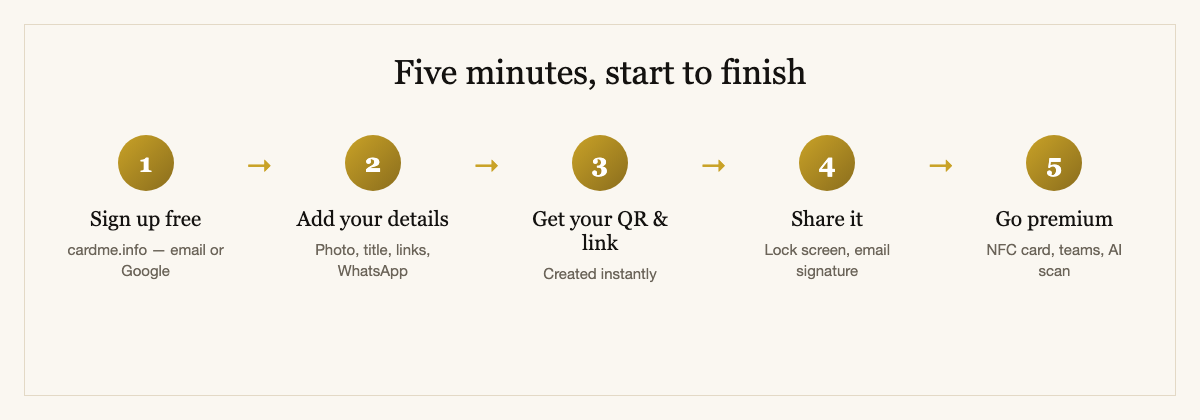
Step 1 — Sign up (1 minute)
Go to cardme.info and create a free account with your email or Google sign-in. No credit card, no trial countdown — the free tier is a real, permanently usable card, not a two-week tease. You'll pick a short profile link at this stage; keep it simple and professional, because it's going on your QR code and email signature for years.
Step 2 — Add your details (2 minutes)
Fill in the essentials — name, job title, company, mobile, email — and then add the things paper never could:
Spend the extra minute here. A card with a photo, a WhatsApp button and a real title reads as "organised professional"; a card with just a name reads as "set this up in the lift."
Step 3 — Your QR code and link exist (instantly)
The moment you save, you have a permanent profile link and a QR code. Anyone who scans it sees your card in their browser and can save your details — with your photo — straight into their phone contacts. Here's what they'll see:
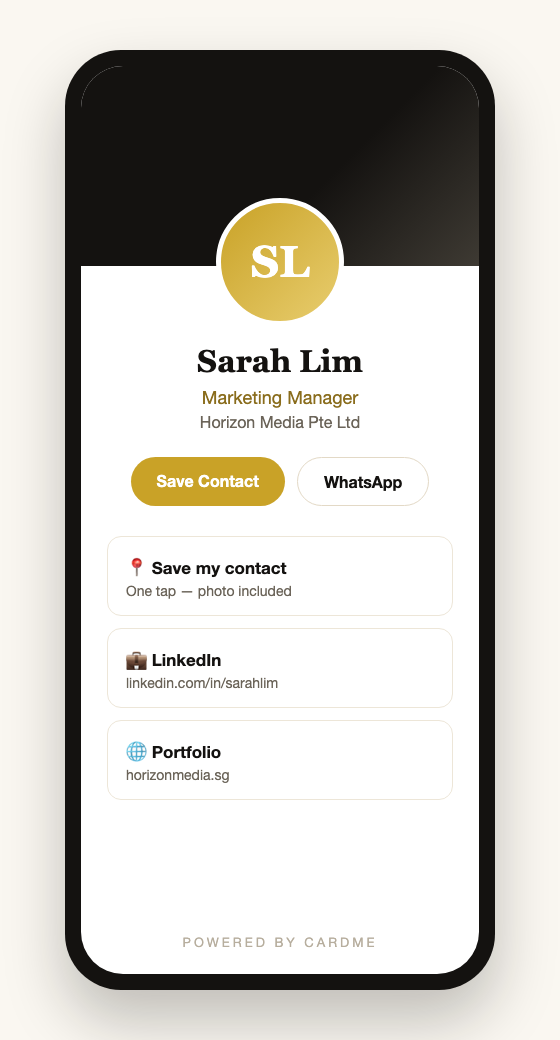
Nothing to install on their end — the card just opens. That "no app for the recipient" part is the single most important feature of any digital card platform, and we'll come back to why below.
Step 4 — Put your card where the people are (2 minutes)
This is the step most people skip, and it's exactly where the value hides. A card nobody can reach is just a nicer contact page. Put it in the places you already are:
Step 5 — Optional upgrades, when you're ready
Everything above is free. When you want more, the paid tiers add a physical NFC card you tap against a phone to share (here's how NFC compares to QR), team management for companies, AI scanning of the paper cards you receive, and CRM connectors that push new contacts into Salesforce, HubSpot or Marketo. None of it is needed to start networking digitally today — add it only when you feel the specific need.
The one feature to check before you commit to any platform
Before you build your card on any service, confirm one thing: the person receiving your card must not need to download an app. This is the make-or-break feature. If the recipient has to install something to see your details, the exchange dies at the exact moment it matters — nobody installs an app for a stranger at a networking event. A proper digital card opens instantly in the recipient's normal phone browser. CardMe works this way; check that any alternative does too.
Frequently asked questions
Is a digital name card really free?
Yes — the free tier gives you a permanent profile, a QR code and a shareable link at no cost, and it stays usable indefinitely. Paid plans add extras like a physical NFC card, team management and AI card scanning, but you can network fully on the free plan.
Does the other person need an app to receive my card?
No, and this is the feature to insist on. Your card opens in the recipient's browser when they scan your QR or tap your NFC card. They press "Save Contact" and you're in their phone — nothing installed on their side.
What happens to my card when I change jobs?
You edit your profile once, and every link and QR code you've ever shared updates instantly — email signatures, printed cards, saved contacts, all of it. Details never going stale is the single biggest advantage over paper.
Do I need an NFC card, or is the QR code enough?
The free QR code is enough to start and works on every smartphone. An NFC card adds the effortless "tap to share" moment for in-person meetings; it's a nice upgrade, not a requirement. Many people run the free QR profile for months before adding a physical card.
Will a digital name card work for everyone I meet in Singapore?
Practically yes — QR scanning is built into every modern phone camera (we scan QR codes for everything here), and NFC works on iPhones from the XS onward and virtually all recent Android phones. Because the card also has a plain link, even the rare edge case can still open it.
That's it — five minutes, zero dollars
Sign up, add your details and photo, grab your QR code, and put it on your lock screen and email signature — you'll never be caught without a card again. Start at cardme.info, or read the complete Singapore digital business card guide for the deeper dive on platforms, pricing and team rollouts.